
FX — Animationsreferens
Lägg klassen i Bricks → Style → CSS Classes på elementet. Dataattribut sätts under Attributes.
Grundklass — alltid obligatorisk
| Klass | Vad den gör |
|---|---|
.fx Krävs |
Aktiverar animationen. Elementet är dolt tills det scrollas in i viewporten, då animerar det in med fade + slide upp 16px under 700ms.
Utan ytterligare klasser: fade-up är default.
|
Rörelsevarianter — kombineras med .fx
| Klass | Vad den gör |
|---|---|
.fx--fade |
Bara fade, ingen rörelse. |
.fx--fade-up |
Fade + glider upp 16px. (Samma som default — explicit variant.) |
.fx--fade-down |
Fade + glider ner 16px. |
.fx--fade-left |
Fade + glider in från vänster 16px. |
.fx--fade-right |
Fade + glider in från höger 16px. |
.fx--scale |
Fade + zoomar in från 96%. |
.fx--blur |
Fade + oskärpa 10px → skarp. |
Timing — valfria justeringar
| Klass / Attribut | Vad den gör |
|---|---|
.fx--dur-5 |
Längre duration: 2000ms. |
.fx--dur-9 |
Standard duration: 1200ms. (Lite långsammare än default 700ms.) |
.fx--delay-1 |
Startar 120ms sent. |
.fx--delay-2 |
Startar 240ms sent. |
.fx--delay-3 |
Startar 600ms sent. |
data-fx-delay="0.35" Ny |
Godtycklig delay i sekunder. Sätts som attribut i Bricks → Attributes.
Mer flexibelt än delay-klasserna — kan vara vilket värde som helst, t.ex.
0.1, 0.5, 1.2. |
.fx--repeat |
Animerar om varje gång elementet scrollas in i viewporten (default: bara en gång). |
Stagger — animera barn i sekvens
| Klass / Attribut | Sätts på | Vad den gör |
|---|---|---|
.fx + .fx-stagger |
Förälder | Markerar elementet som stagger-behållare. Barnen animerar in i sekvens när föräldern scrollas in. |
.fx-child |
Varje barn | Markerar ett element som stagger-barn. Animerar in med växande delay. |
data-stagger="0.08" |
Förälder |
Tid i sekunder mellan varje barns start. Default: 0.08 (80ms).
Exempel:
0.1 = 100ms, 0.15 = 150ms. |
Parallax
| Klass | Riktning | Vad den gör |
|---|---|---|
.fx-parallax |
Vertikal | Elementet rör sig upp/ner relativt scroll-hastigheten. |
.fx-parallax-left |
Horisontell | Elementet glider åt vänster vid scroll. |
.fx-parallax-right |
Horisontell | Elementet glider åt höger vid scroll. |
data-speed="-0.2" |
— |
Styr hur mycket parallax-rörelse. Negativt = rör sig mot scroll-riktningen. Default: -0.2.
Större absolut värde = starkare effekt. T.ex.
-0.4 är dubbelt så mycket rörelse som -0.2. |
Exempel
<!-- CSS Classes: fx -->
<div class="fx">
  Texten animerar in när den scrollas in.
</div>
<!-- CSS Classes: fx fx--fade-left fx--delay-2 -->
<div class="fx fx--fade-left fx--delay-2">
  Glider in från vänster, startar 240ms sent.
</div>
<!-- Förälder: CSS Classes: fx fx-stagger | Attributes: data-stagger = 0.1 -->
<div class="fx fx-stagger" data-stagger="0.1">

  <!-- Varje barn: CSS Classes: fx-child -->
  <div class="fx-child">Kort 1 — startar 0ms</div>
  <div class="fx-child">Kort 2 — startar 100ms</div>
  <div class="fx-child">Kort 3 — startar 200ms</div>

</div>
<!-- CSS Classes: fx-parallax | Attributes: data-speed = -0.3 -->
<div class="fx-parallax" data-speed="-0.3">
  Rör sig lite långsammare än scrollhastigheten.
</div>
<!-- CSS Classes: fx fx--fade | Attributes: data-fx-delay = 0.45 -->
<div class="fx fx--fade" data-fx-delay="0.45">
  Bara fade, startar 450ms sent.
</div>
Kombinationsregler
| Regel | Förklaring |
|---|---|
.fx krävs alltid |
Rörelse- och timing-klasser gör ingenting utan .fx på samma element. |
Stagger-barn behöver inte .fx |
.fx-child räcker på barnen. JS lägger till .fx automatiskt. |
Parallax utan .fx |
.fx-parallax fungerar självständigt — det är inte en entrance-animation utan en scroll-effekt. |
| En rörelsevariant åt gången | Lägg bara en av .fx--fade, .fx--fade-up etc. Om ingen sätts används fade-up som default. |
data-fx-delay vs .fx--delay-* |
Om båda finns vinner data-fx-delay. Använd attributet när du behöver ett specifikt värde. |
.fx fungerar normalt — entrance-animationen använder Web Animations API (WAAPI) och krockar inte med CSS transition.
Brand Palette
Colors
The following colors and shades are available for this project.
Primary
Secondary
Tertiary
Accent
Base
Neutral
Buttons & Links
Action elements
Color Relationships
Text
Auto Color Relationships
Sample heading
This is what text will look like on ultra light background areas. You can also control link color relationships and there's an example button below.
Sample heading
This is what text will look like on light background areas. You can also control link color relationships and there's an example button below.
Sample heading
This is what text will look like on dark background areas. You can also control link color relationships and there's an example button below.
Sample heading
This is what text will look like on ultra dark background areas. You can also control link color relationships and there's an example button below.
Content Width & Spacing
General Spacing
Content Width
Grid Gap
Card Gap
Content Gap
Default Section Padding
Container Gap
Headings & Text
Typography
The quick brown fox jumps over the lazy dog
h1
The quick brown fox jumps over the lazy dog
h2
The quick brown fox jumps over the lazy dog
h3
The quick brown fox jumps over the lazy dog
h4
The quick brown fox jumps over the lazy dog
h5
The quick brown fox jumps over the lazy dog
h6
The quick brown fox jumps over the lazy dog
h1 & L
This is large placeholder text. Don’t be alarmed, this is just here to fill up space since your finalized copy isn’t ready yet. Once we have your content finalized, we’ll replace this placeholder text with your real content.
The quick brown fox jumps over the lazy dog
h2 & m
This is default placeholder text. Don’t be alarmed, this is just here to fill up space since your finalized copy isn’t ready yet. Once we have your content finalized, we’ll replace this placeholder text with your real content.
The quick brown fox jumps over the lazy dog
h3 & s
This is small placeholder text. Don’t be alarmed, this is just here to fill up space since your finalized copy isn’t ready yet. Once we have your content finalized, we’ll replace this placeholder text with your real content.
2 column grid
This is just placeholder text. Don’t be alarmed, this is just here to fill up space since your finalized copy isn’t ready yet. Once we have your content finalized, we’ll replace this placeholder text with your real content.
Why is the overload relay tripping?
Check the voltage drop and pressure levels in the hydraulic system. Refer to your Brokk manual for guidance.
Read MoreWhat type of hydraulic fluid should I use for my Brokk robot?
See the decal on the hydraulic tank or download the document Hydraulic fluid and lubricants
Read More3 column grid
This is just placeholder text. Don’t be alarmed, this is just here to fill up space since your finalized copy isn’t ready yet. Once we have your content finalized, we’ll replace this placeholder text with your real content.
Why is the overload relay tripping?
Check the voltage drop and pressure levels in the hydraulic system. Refer to your Brokk manual for guidance.
Read MoreWhat type of hydraulic fluid should I use for my Brokk robot?
See the decal on the hydraulic tank or download the document Hydraulic fluid and lubricants
Read MoreWhat does the trouble code on the remote control’s display mean?
Download the document Error Codes
Read MoreHow long does it take to change the track width on my Brokk 170?
With the correct tools and lifting aids, it will take approximately one hour.
Read More4 column grid
This is just placeholder text. Don’t be alarmed, this is just here to fill up space since your finalized copy isn’t ready yet. Once we have your content finalized, we’ll replace this placeholder text with your real content.


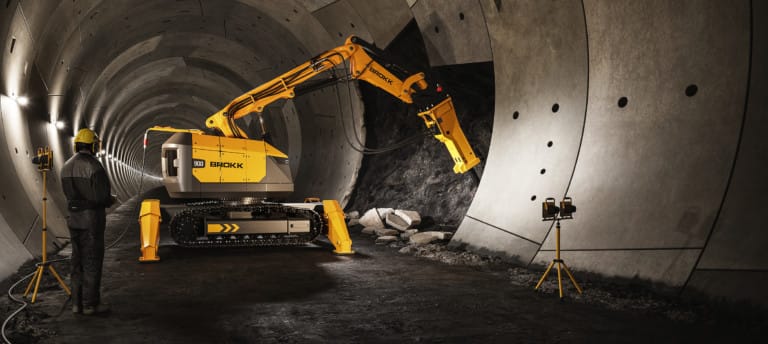
Mining
Underground, the benefits of a compact, remote-controlled demolition robot become unmistakable. Brokk delivers the same…
Read More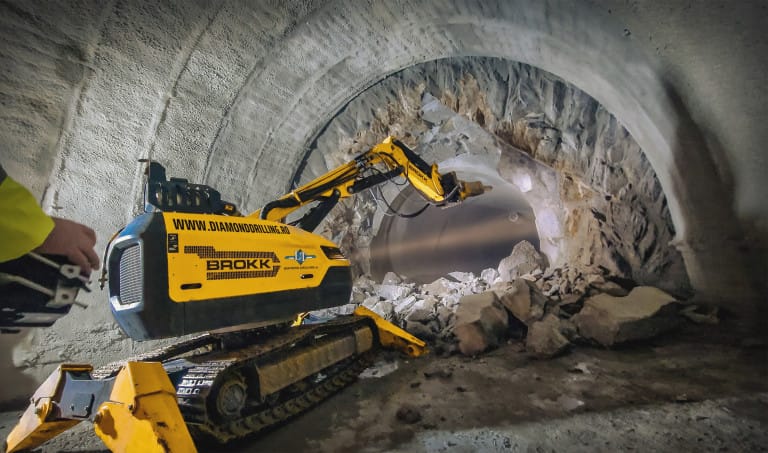

5 column grid
This is just placeholder text. Don’t be alarmed, this is just here to fill up space since your finalized copy isn’t ready yet. Once we have your content finalized, we’ll replace this placeholder text with your real content.
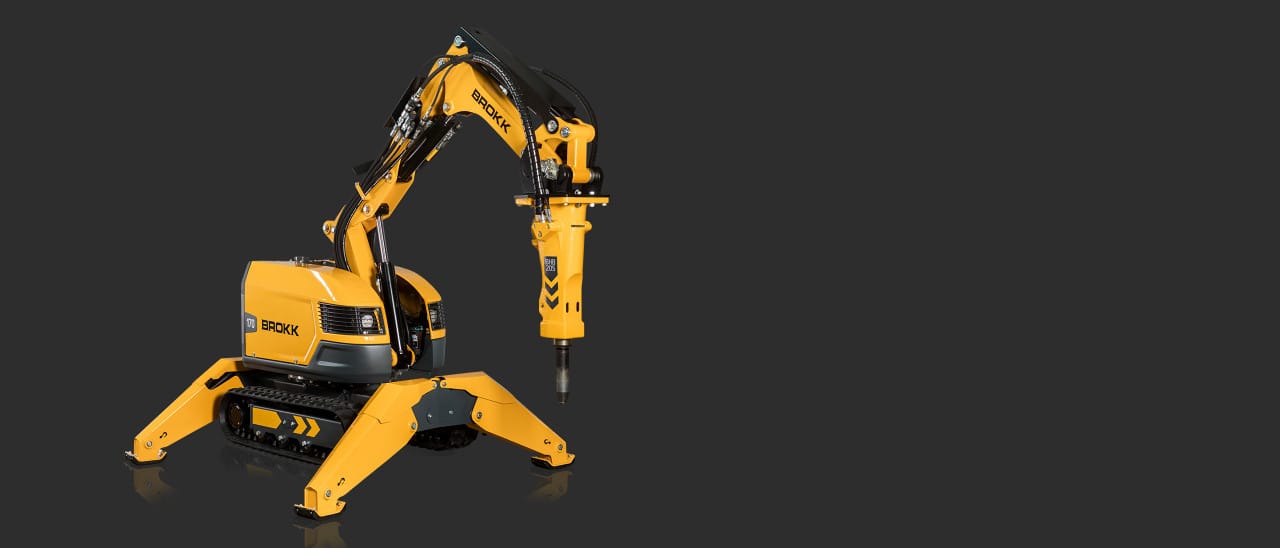
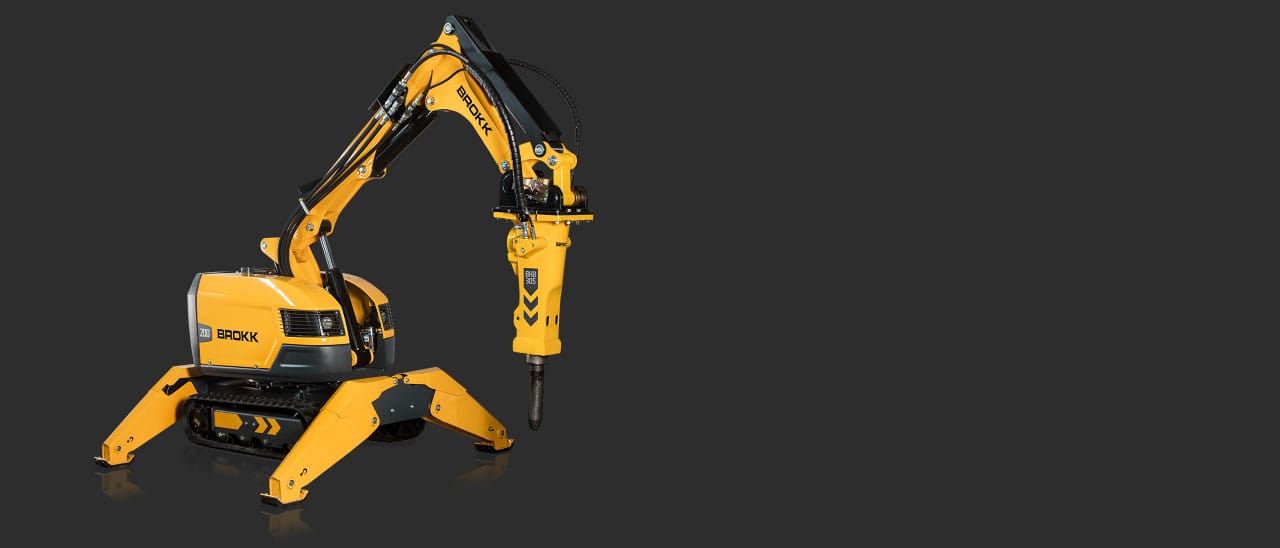
Breaker
Brokk’s hydraulic breakers are the most versatile and effective attachments for your Brokk robot
Read More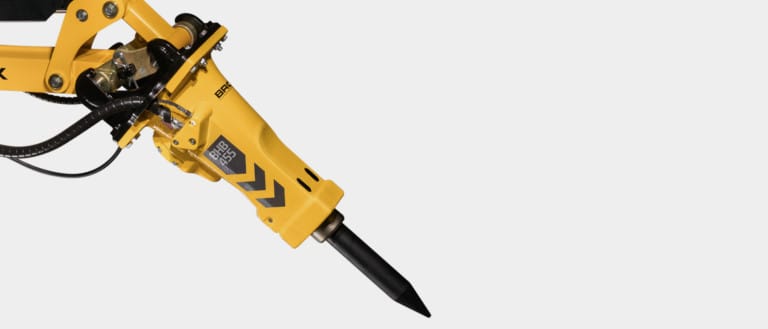
Concrete Crusher
A concrete crushers allows you to do silent demolition with less noise, dust and vibration
Read More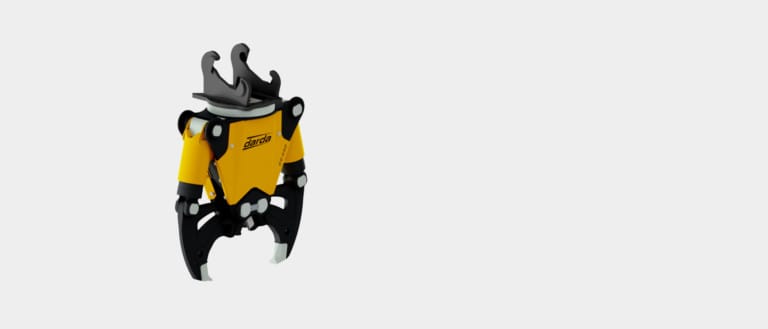
Brokk Vacuum Excavator
A specialized excavation solution which safely creates suction holes in the ground, efficiently removing heavy debris and materials from holes created, particularly in urban and suburban areas.
Read More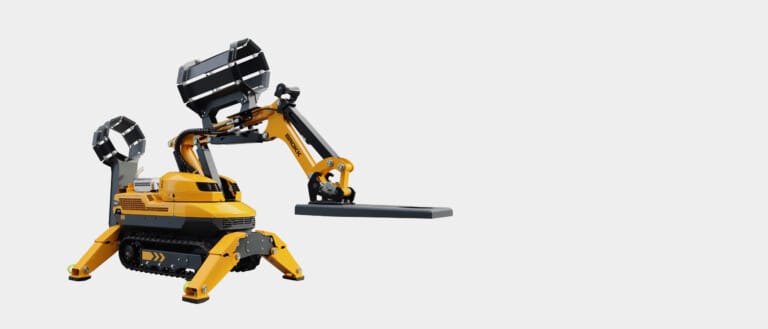
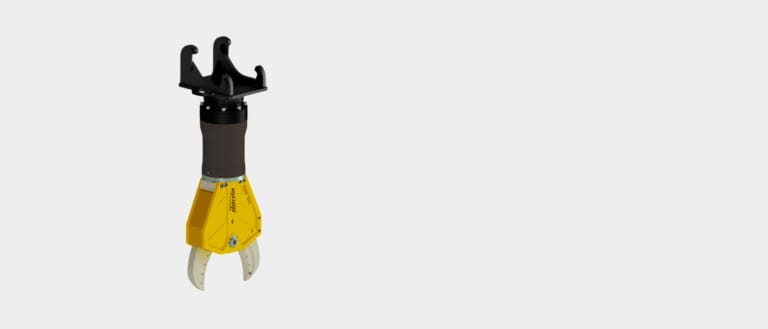
Combi-Shears
Brokk Combi Shears offers flexibility and are designed for cutting, sorting, and prizing all kinds of materials.
Read More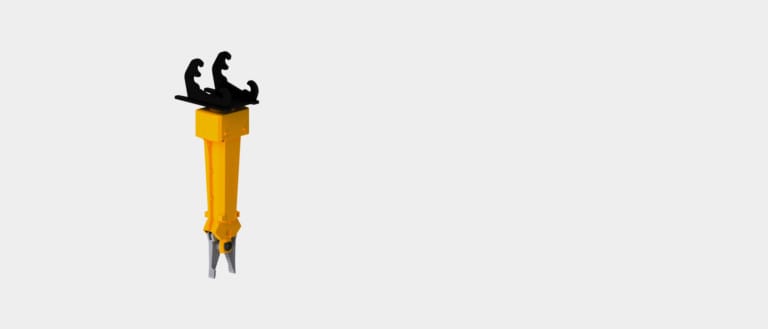


Drum Cutter
Brokk drum cutters are designed for trenching, demolition, and concrete surfaces
Read More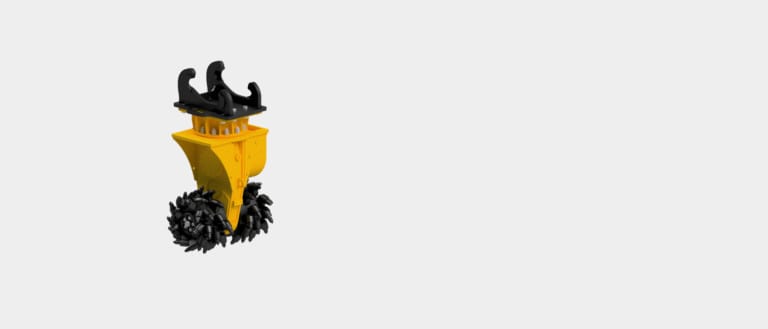
Planer
Brokk planers remove concrete, paint, asbestos, or other layers in a controlled manner up to a certain depth
Read More
Surface Grinder
Tackle hazardous material removing safer and faster with a Brokk Surface Grinder.
Read More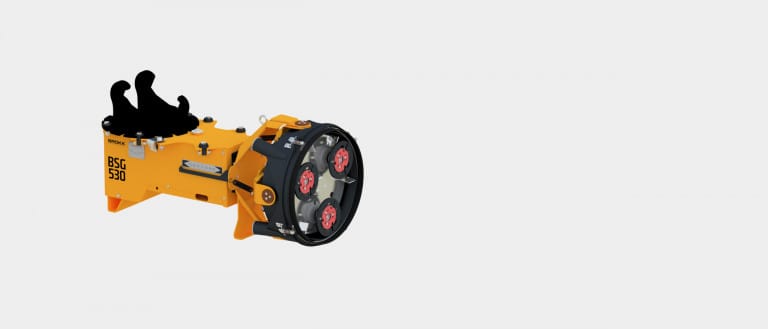

Clamshell Bucket
Brokk’s wide range of clamshell buckets transforms your Brokk robot into the perfect machine for sorting material and debris.
Read More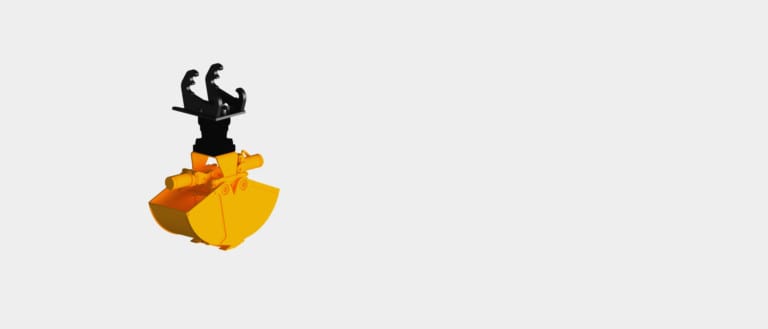
Multi-Purpose Grapple
Make your work even more efficient with a multi purpose grapple from Brokk, the ideal attachment for loading, sorting, and separating debris.
Read More
Sorting & Demolition Grapple
Sorting and demolition grapples are tailor-made and ideal for soft demolition and stripping structures inside of buildings.
Read More
Beam Grapple
Equipped with a beam grapple, your Brokk robot becomes an excellent and flexible machine for installing steel beams in tunnel and mining applications.
Read More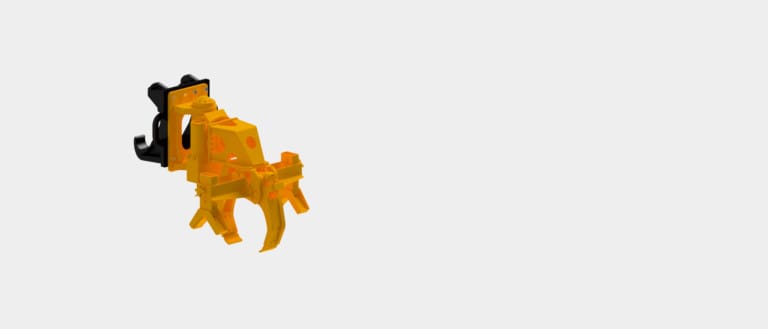
Shotcrete
This attachment can turn your Brokk robot into a shotcrete machine for confined spaces.
Read More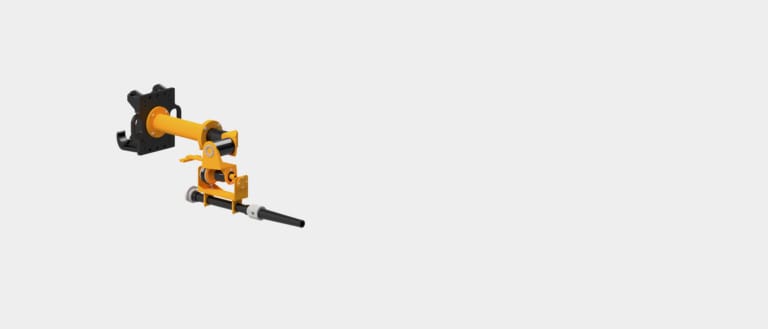
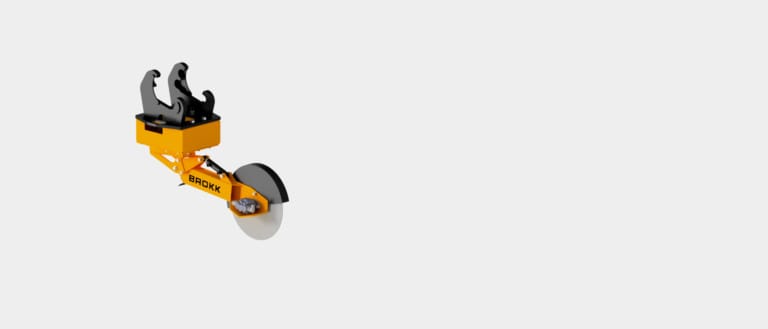
Tap Hole Device
The chisel is equipped with flanges, specially designed for cleaning out tap holes in the metal processing industry.
Read More
Side Angling Device
Give your Brokk hydraulic breaker that extra angle for extremely confined spaces.
Read More
Cards on light background
This is just placeholder text. Don’t be alarmed, this is just here to fill up space since your finalized copy isn’t ready yet. Once we have your content finalized, we’ll replace this placeholder text with your real content.

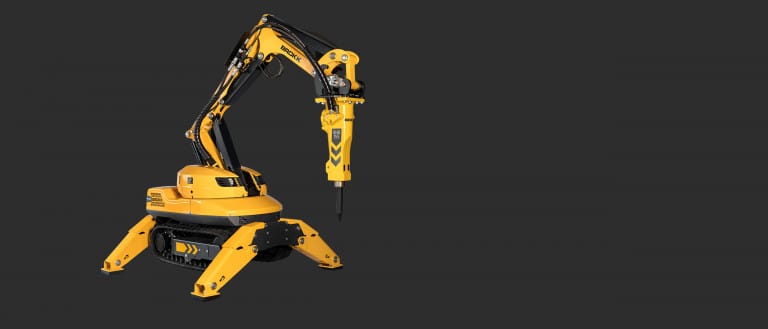
Cards on Black background
This is just placeholder text. Don’t be alarmed, this is just here to fill up space since your finalized copy isn’t ready yet. Once we have your content finalized, we’ll replace this placeholder text with your real content.
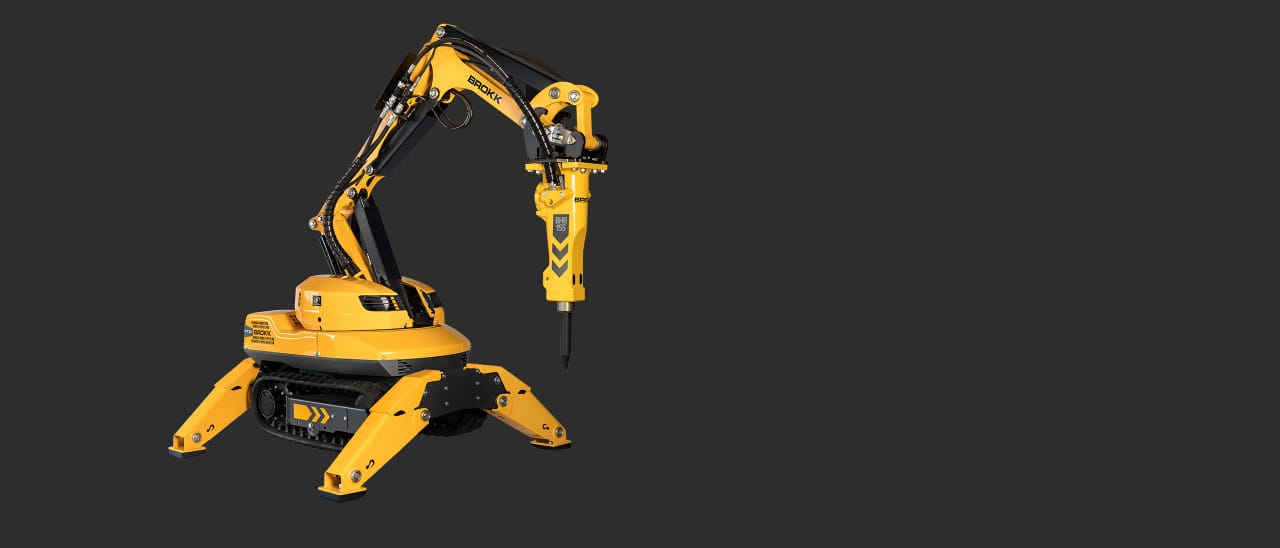
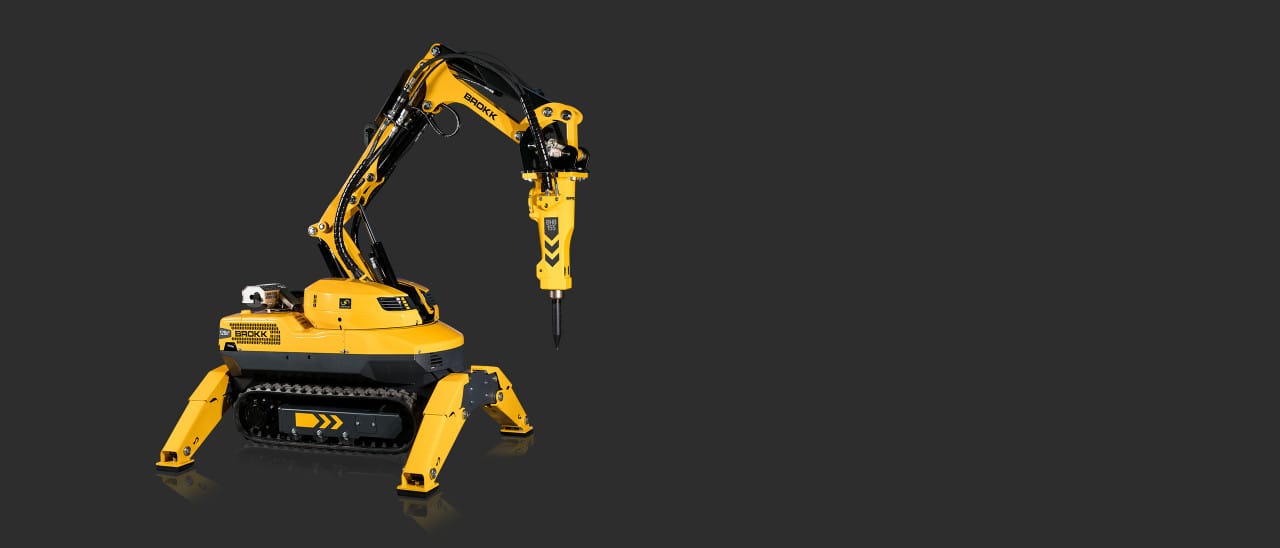
Boxed Cards on dark background
This is just placeholder text. Don’t be alarmed, this is just here to fill up space since your finalized copy isn’t ready yet. Once we have your content finalized, we’ll replace this placeholder text with your real content.
Cards on Gradient / dark background
This is just placeholder text. Don’t be alarmed, this is just here to fill up space since your finalized copy isn’t ready yet. Once we have your content finalized, we’ll replace this placeholder text with your real content.
Faq
This is just placeholder text. Don’t be alarmed, this is just here to fill up space since your finalized copy isn’t ready yet. Once we have your content finalized, we’ll replace this placeholder text with your real content.
Why is the overload relay tripping?
Check the voltage drop and pressure levels in the hydraulic system. Refer to your Brokk manual for guidance.
How do I use the control unit function?
Download the document CONTROL UNIT FUNCTIONS
How heavy a tool can my Brokk robot carry?
Compare models
What type of hydraulic fluid should I use for my Brokk robot?
See the decal on the hydraulic tank or download the document Hydraulic fluid and lubricants
What does the trouble code on the remote control’s display mean?
Download the document Error Codes
How long does it take to change the track width on my Brokk 170?
With the correct tools and lifting aids, it will take approximately one hour.
How do I change the track width on my Brokk 170?
See video
Why does the fuse at the electrical socket blow?
Ensure the power supply has the correct voltage and fuse. Verify that the power supply cable and/or extension cable are of the correct length and diameter. Consult your Brokk manual…
Why is the remote control beeping when starting?
A function on the control box may be active. Ensure that levers and push buttons are in the neutral position.
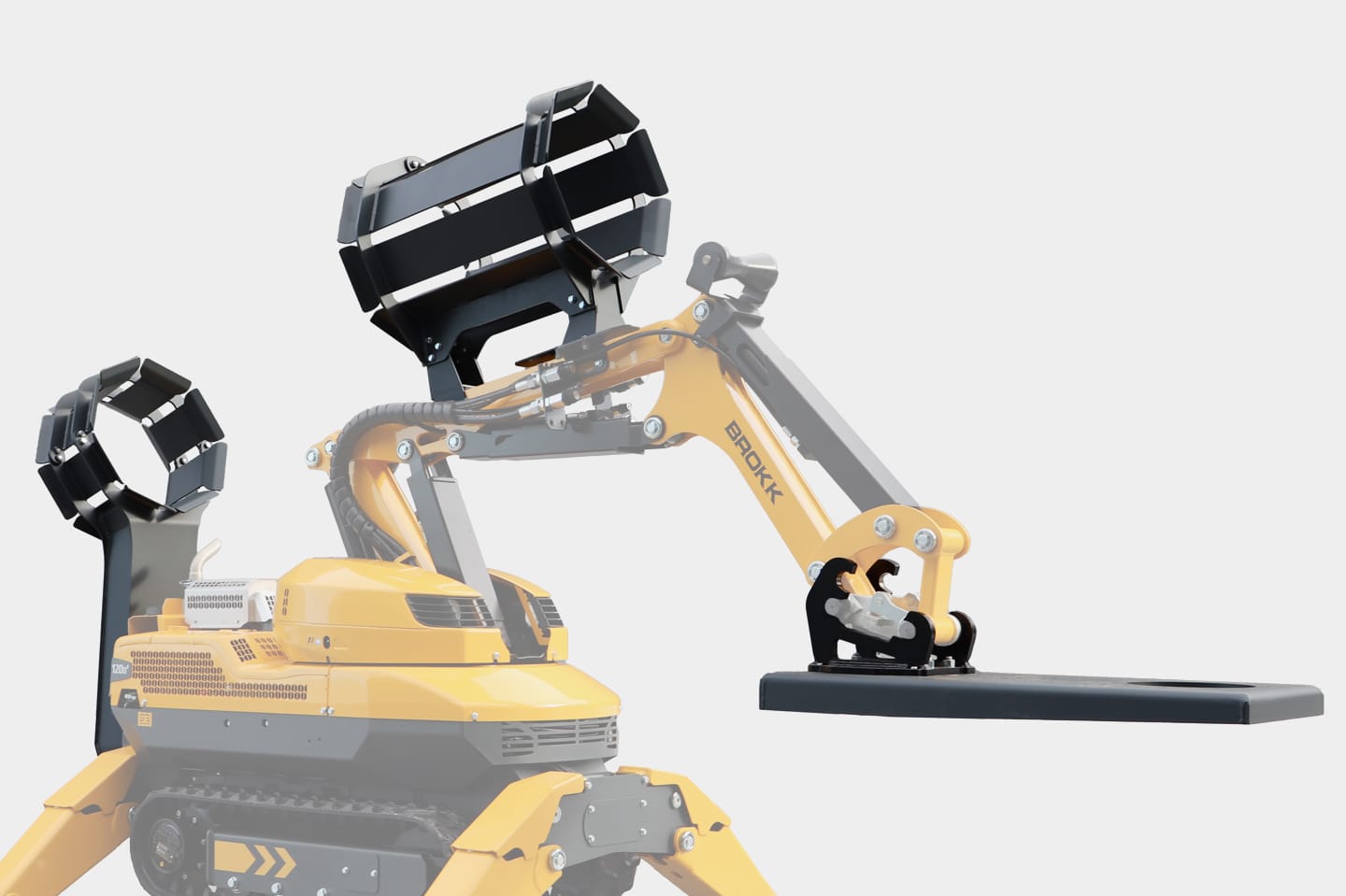
Brokk Vacuum Excavator
A specialized excavation solution which safely creates suction holes in the ground, efficiently removing heavy debris and materials from holes created, particularly in urban and suburban areas.
Explore
Surface Grinder
Tackle hazardous material removing safer and faster with a Brokk Surface Grinder.
Explore
Tap Hole Device
The chisel is equipped with flanges, specially designed for cleaning out tap holes in the metal processing industry.
Explore
Combi-Shears
Brokk Combi Shears offers flexibility and are designed for cutting, sorting, and prizing all kinds of materials.
Explore
Concrete Crusher
A concrete crushers allows you to do silent demolition with less noise, dust and vibration
Explore
Breaker
Brokk’s hydraulic breakers are the most versatile and effective attachments for your Brokk robot
Explore
Side Angling Device
Give your Brokk hydraulic breaker that extra angle for extremely confined spaces.
Explore


Shotcrete
This attachment can turn your Brokk robot into a shotcrete machine for confined spaces.
Explore
Beam Grapple
Equipped with a beam grapple, your Brokk robot becomes an excellent and flexible machine for installing steel beams in tunnel and mining applications.
Explore
Drum Cutter
Brokk drum cutters are designed for trenching, demolition, and concrete surfaces
Explore

Planer
Brokk planers remove concrete, paint, asbestos, or other layers in a controlled manner up to a certain depth
Explore
Sorting & Demolition Grapple
Sorting and demolition grapples are tailor-made and ideal for soft demolition and stripping structures inside of buildings.
Explore
Multi-Purpose Grapple
Make your work even more efficient with a multi purpose grapple from Brokk, the ideal attachment for loading, sorting, and separating debris.
Explore
Clamshell Bucket
Brokk’s wide range of clamshell buckets transforms your Brokk robot into the perfect machine for sorting material and debris.
Explore

Brokk Vacuum Excavator
A specialized excavation solution which safely creates suction holes in the ground, efficiently removing heavy debris and materials from holes created, particularly in urban and suburban areas.
Explore
Surface Grinder
Tackle hazardous material removing safer and faster with a Brokk Surface Grinder.
Explore
Tap Hole Device
The chisel is equipped with flanges, specially designed for cleaning out tap holes in the metal processing industry.
Explore
Combi-Shears
Brokk Combi Shears offers flexibility and are designed for cutting, sorting, and prizing all kinds of materials.
Explore
Concrete Crusher
A concrete crushers allows you to do silent demolition with less noise, dust and vibration
Explore
Breaker
Brokk’s hydraulic breakers are the most versatile and effective attachments for your Brokk robot
Explore
Side Angling Device
Give your Brokk hydraulic breaker that extra angle for extremely confined spaces.
Explore
Shotcrete
This attachment can turn your Brokk robot into a shotcrete machine for confined spaces.
Explore
Beam Grapple
Equipped with a beam grapple, your Brokk robot becomes an excellent and flexible machine for installing steel beams in tunnel and mining applications.
Explore
Drum Cutter
Brokk drum cutters are designed for trenching, demolition, and concrete surfaces
Explore
Planer
Brokk planers remove concrete, paint, asbestos, or other layers in a controlled manner up to a certain depth
Explore
Sorting & Demolition Grapple
Sorting and demolition grapples are tailor-made and ideal for soft demolition and stripping structures inside of buildings.
Explore
Multi-Purpose Grapple
Make your work even more efficient with a multi purpose grapple from Brokk, the ideal attachment for loading, sorting, and separating debris.
Explore
Clamshell Bucket
Brokk’s wide range of clamshell buckets transforms your Brokk robot into the perfect machine for sorting material and debris.
Explore
Brokk Vacuum Excavator
A specialized excavation solution which safely creates suction holes in the ground, efficiently removing heavy debris and materials from holes created, particularly in urban and suburban areas.
Explore
Surface Grinder
Tackle hazardous material removing safer and faster with a Brokk Surface Grinder.
Explore
Tap Hole Device
The chisel is equipped with flanges, specially designed for cleaning out tap holes in the metal processing industry.
Explore
Combi-Shears
Brokk Combi Shears offers flexibility and are designed for cutting, sorting, and prizing all kinds of materials.
Explore
Concrete Crusher
A concrete crushers allows you to do silent demolition with less noise, dust and vibration
Explore
Breaker
Brokk’s hydraulic breakers are the most versatile and effective attachments for your Brokk robot
Explore
Side Angling Device
Give your Brokk hydraulic breaker that extra angle for extremely confined spaces.
Explore
Shotcrete
This attachment can turn your Brokk robot into a shotcrete machine for confined spaces.
Explore
Beam Grapple
Equipped with a beam grapple, your Brokk robot becomes an excellent and flexible machine for installing steel beams in tunnel and mining applications.
Explore
Drum Cutter
Brokk drum cutters are designed for trenching, demolition, and concrete surfaces
Explore
Planer
Brokk planers remove concrete, paint, asbestos, or other layers in a controlled manner up to a certain depth
Explore
Sorting & Demolition Grapple
Sorting and demolition grapples are tailor-made and ideal for soft demolition and stripping structures inside of buildings.
Explore
Multi-Purpose Grapple
Make your work even more efficient with a multi purpose grapple from Brokk, the ideal attachment for loading, sorting, and separating debris.
Explore
Clamshell Bucket
Brokk’s wide range of clamshell buckets transforms your Brokk robot into the perfect machine for sorting material and debris.
Explore